5 tips to prevent phishing
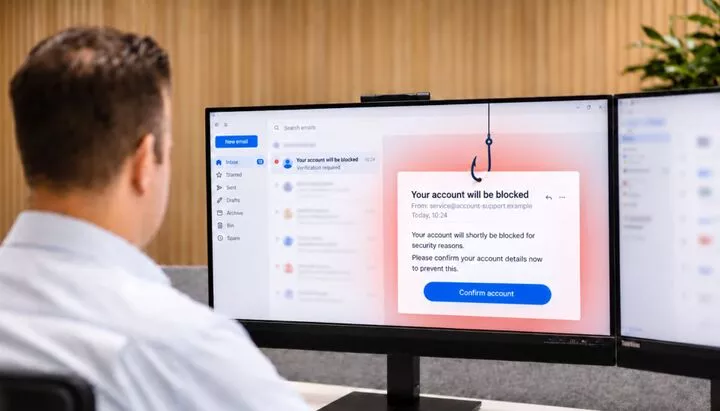
Phishing can have serious consequences, from stolen customer data and financial losses to disrupted operations and reputational damage. Criminals impersonate people and organisations you trust to persuade you to share information, open a harmful attachment or make a payment. Knowing what to look for helps you recognise suspicious requests and respond safely.
Imagine it’s half past four on a Friday afternoon. You’re finishing your last tasks before the weekend when an urgent email arrives:

An invoice needs to be paid today. Do you click the link to deal with it quickly, or pause to check the request? Clicking a phishing link does not automatically mean your data has been stolen, but it can lead to a fake login page, a harmful download or another attempt to compromise your account.
These five tips will help you spot warning signs and protect yourself and your organisation from phishing.
Criminals often pose as a colleague, supplier or familiar organisation to make their requests seem credible. A recognisable name or logo can make a message feel trustworthy, even when it comes from someone else.
Check the full email address rather than relying on the display name. Look for subtle changes to the domain, such as missing letters, extra words or characters that look alike. Remember that even a genuine account can be compromised, so a familiar address is no guarantee that a request is safe.
Phishing messages can also be personalised and convincingly written. AI makes it easier for criminals to produce fluent messages and imitate a familiar writing style.
If a request seems unusual, verify it through a separate, trusted channel. Call the person on a number you already know, rather than one provided in the message. At work, report suspicious messages through your organisation’s agreed reporting process.
Never share passwords, PINs, MFA codes or recovery codes in response to an email, text message or unexpected phone call. Treat requests for identity documents, payment details or other sensitive information with care. Verify who needs the information, why they need it and how it should be shared securely.
If a message asks you to sign in or update your account details, open the service through a saved bookmark, its official app or a web address you already know. Avoid using the link in the message.
Think carefully before sharing information that may seem less sensitive, such as email addresses, phone numbers or details about colleagues. Criminals can use it to make future phishing attempts more convincing.

Spelling mistakes, unusual wording or a writing style that does not match the supposed sender can be warning signs. However, many phishing messages are written in fluent, accurate English. Good grammar does not prove that a message is genuine.
Pay particular attention to names and web addresses. Criminals may replace letters with similar-looking characters or leave out a letter to imitate a familiar brand. Can you spot the changes in these examples?
Check the actual destination of a link rather than trusting its visible text. On a computer, hover over it without clicking. If you are unsure, visit the website independently.
Criminals use urgency to push you into acting before you have checked a request. A message might threaten to block your account, demand an immediate payment or ask you to bypass normal approval procedures.
Even when you are busy, take a moment to ask yourself:
No checklist can guarantee that a message is safe. If something feels unusual, verify it through a trusted channel before taking action. Urgency is a reason to check carefully.

Tip: Save this checklist somewhere easy to find, so you can refer to it when a suspicious message arrives.
Protecting yourself from phishing takes more than recognising suspicious emails. The same caution applies to text messages, chat messages and phone calls. Make it a habit to check unusual requests, follow agreed procedures and report anything suspicious.
Organisations can support these habits with clear reporting channels, regular practice and security awareness training. Employees should feel comfortable asking for help and reporting a possible incident, including when they have already clicked a link or shared information.
If that happens, contact your IT or security team promptly and explain what you did. A quick report gives them the best chance to limit any damage.
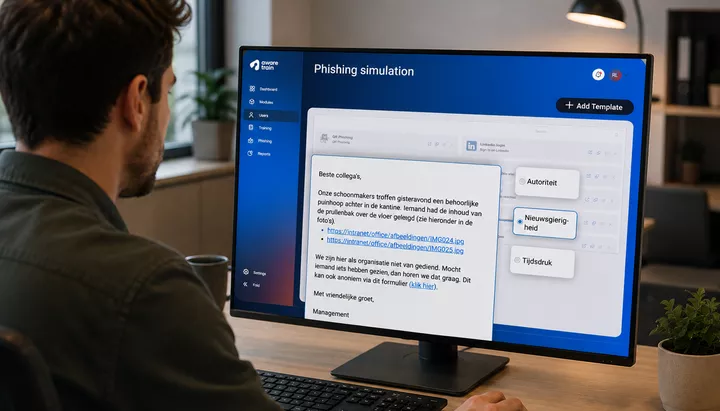
Find out with a free phishing test. Try Awaretrain for 28 days and send a simulated phishing email to up to 5,000 recipients. Choose a ready-to-use multilingual template or create your own message.

Training modules
Customers worldwide
Employees trained

Step aboard and build lasting security awareness with Awaretrain.