Effective phishing simulation, poor timing? How to choose the best time for a phishing campaign

You want to find out how well your organisation is prepared for phishing. Of course, you could wait until your organisation receives a phishing email, after all, that is only a matter of (very little) time, but that is hardly the safest approach. A better option is to stay one step ahead of cybercriminals by running phishing simulations. But how do you turn a phishing campaign into a positive learning experience that is well received and leads to safer behaviour?
There is an important difference between a real phishing email and a phishing simulation. A phishing simulation creates a controlled environment. You determine the context and the message without putting your organisation at risk. A phishing simulation is therefore a tool for raising awareness, while the campaign encompasses the wider approach and learning process around it.
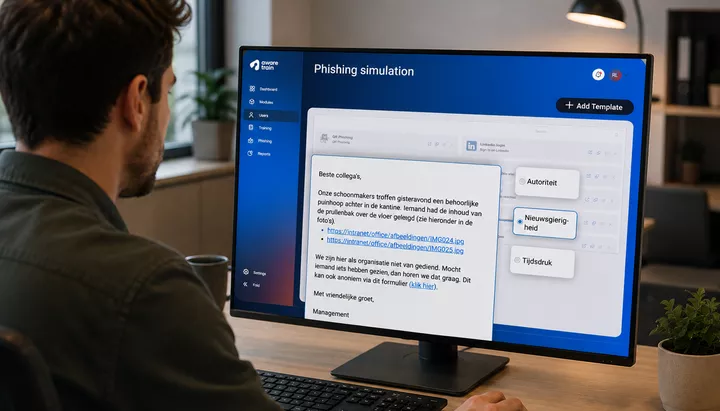
An effective phishing simulation email depends on three key elements:
Before you start running phishing simulations, it is important to set a clear objective. Phishing simulations are an effective way to continuously improve employees’ vigilance, but you can also use them to:
Before running phishing simulations, we always recommend letting your organisation know that they will be taking place. You could announce them during the kick-off of your security awareness campaign, at a company-wide meeting or by email.
In your announcement, clearly explain what employees can expect and why the phishing simulations are being carried out. For example:
‘Starting next month, we will occasionally run phishing simulations. These are emails designed to mimic real phishing attempts. We ask you to stay alert and treat these simulation emails just as you would a genuine phishing email. We are running these simulations because phishing is one of the most common methods used by cybercriminals, and it only takes a moment’s inattention for something to go wrong.’
Giving employees advance notice will naturally make them more alert to incoming emails. It also helps avoid unpleasant surprises and encourages greater involvement in protecting the organisation. At the same time, employees understand why it is so important not to click on links in phishing emails without thinking.
You can also use a recent news story about a phishing attack as an opportunity to practise with another phishing simulation. Incidents that receive widespread media coverage tend to make a particularly strong impression.

The best time to send a phishing simulation depends partly on the type of simulation you want to run. For example, a simulation that uses time pressure can be sent towards the end of the working day. This increases the sense of urgency because employees know the day is almost over.
The afternoon before the weekend is another effective time for a phishing simulation that relies on urgency. Most people will be wrapping up their working week, so a sudden or unexpected request that appears urgent may be acted on quickly without the usual checks. If your phishing simulation uses pressure from someone in a position of authority, such as an email supposedly sent by a director or senior manager, consider scheduling it for a time when that person has a busy diary. If the person appears difficult to reach, employees may be more inclined to think, ‘I don’t want to disturb them’ and simply carry out the request without checking first.
Reach is important too: after all, you want employees to actually encounter the phishing simulation. In practice, we find that Monday, Tuesday and Thursday are popular choices. On average, these tend to be the days when the largest number of people are in the office. If that is different within your organisation, adjust your timing accordingly.
Even if you follow these steps, there are certain times when sending a phishing simulation may be inappropriate, poorly timed or ethically questionable. Choosing the wrong moment can undermine support for your awareness programme, upset employees or put them in an uncomfortable position. Avoid running a simulation at times such as:
Once you have sent your phishing simulation, it is simply a matter of time before the results start coming in. Almost every phishing simulation receives some clicks. It is important not to immediately view the click rate as either positive or negative, but rather as an objective observation.
Once you know how many clicks the phishing simulation generated, you can start analysing the results. For example, you could compare the click rate with industry benchmarks or the results of previous phishing simulations.
Within the Awaretrain platform, Pro and Pro+ licences also allow you to provide additional training to high-risk users. Once the campaign has finished, you can also download a PDF summary from ‘phishing reporting’, including benchmarks from a range of industries.
A phishing simulation is only successful if employees either avoid clicking or learn from the experience when they do. You can support this learning immediately, for example by linking the simulation’s link or attachment to an informative landing page.
After a phishing simulation, you can invite employees to complete phishing training. This gives them a better understanding of the tell-tale signs of phishing and helps them strengthen their knowledge and skills.
Just like security awareness training, phishing simulations should be repeated regularly. Repetition helps employees stay alert and encourages them to ask themselves with every email: is this safe or not? As phishing comes in many different forms, it is also important to vary your simulations. Use different triggers, such as curiosity, authority and time pressure, as well as different techniques such as QR phishing.
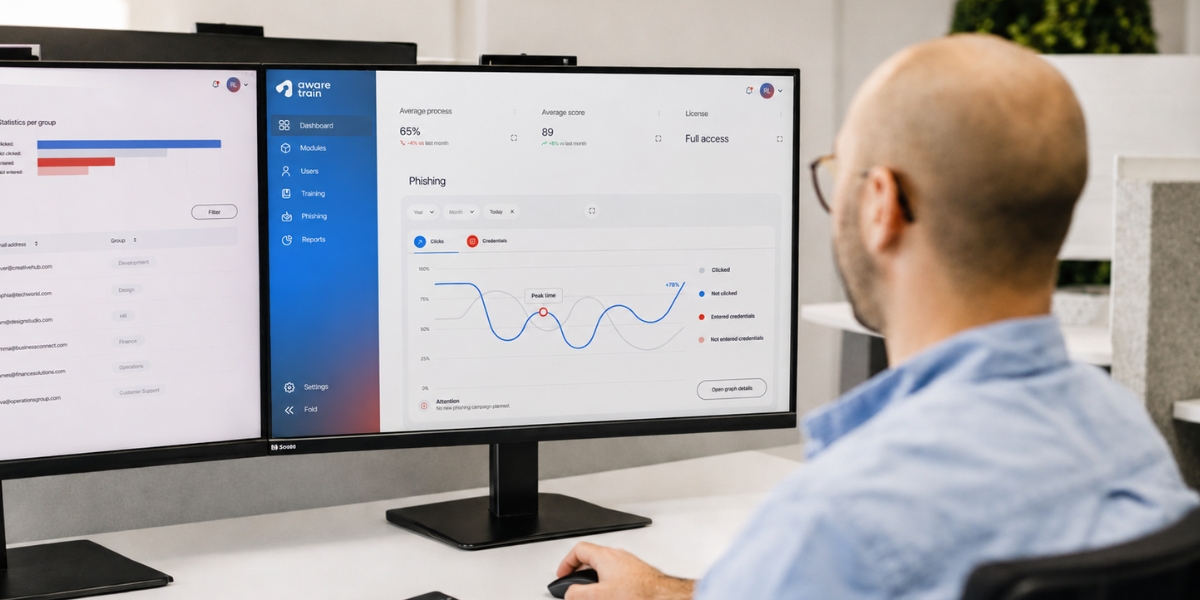
Test how alert your employees are with realistic phishing simulations in the Awaretrain platform. Choose self-service to stay fully in control, or let our specialists manage the campaign for you with our managed approach.
Cybercriminals do not limit themselves to phishing by email. With Awaretrain, you can also practise QR phishing and USB drops, available from our Pro licence onwards. Get started straight away with our proven templates or create your own simulation tailored to your organisation and brand identity.
Once the simulation has finished, you will see more than simply whether employees clicked. You will also gain valuable insight into behaviour and risk. Find out, among other things:
Use these insights to make your future simulations and training more targeted and effective. Start using our phishing simulations for free and discover what Awaretrain can do for your organisation for 28 days.


Training modules
Customers worldwide
Employees trained

Step aboard and build lasting security awareness with Awaretrain.